Internal Text Editor
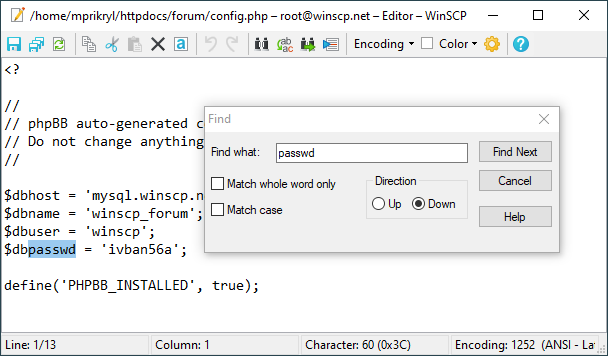
WinSCP has an integrated simple text editor you can use to edit remote or local text files. If you want to use a more complex editor or edit binary files, you need to set up external editor.
Advertisement
The editor capabilities are similar to those of Notepad (simple editor shipped with Windows):
- Clipboard operations: Copy (
Ctrl+C), Cut (Ctrl+X), Paste (Ctrl+V). - Undo (
Ctrl+Z), Redo (Ctrl+Y). - Find (
Ctrl+F), Replace (Ctrl+H), Find next (F3). - Go to line number (
Ctrl+G). - Save (
Ctrl+S). - Save All (
Shift+Ctrl+S). - Reload (
Ctrl+R)
Use Encoding drop-down menu to change encoding used when loading the file. Default encoding to use can be set in preferences and is also governed by presence of UTF-8 BOM in the file. When you change file encoding, the file is reloaded, discarding any changes you have made. You cannot change an encoding of a new file.
Use Color drop-down menu to change background color of the editor. This is useful when you have many editors opened. Editor opens with color of the session or the default background color.
When you save the remote file, WinSCP starts an upload.
Behavior of internal text editor can be configured in preferences.