The Interface Page (Preferences Dialog)
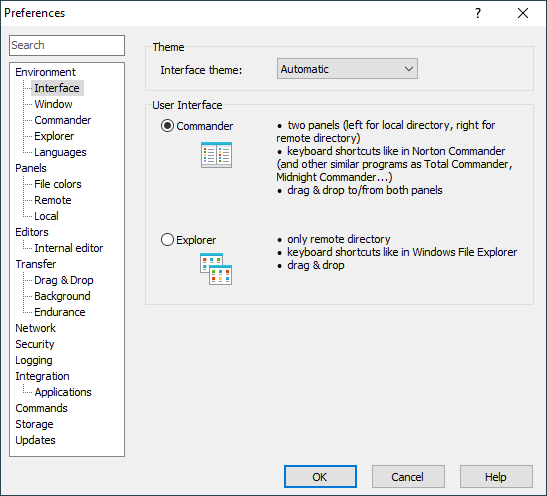
The Interface page on the Preferences dialog allows user to configure user interface.
Advertisement
Refer to documentation of page sections:
Theme
In the Interface theme selection, you can switch to Dark theme. On Windows 11 and Windows 10, the default Automatic mode switches the theme according to “Default app mode” option in Settings > Personalization > Colors. On older versions of Windows, the default Automatic mode always falls back to the Light theme.
Interface
Check Commander to select Commander interface.
Check Explorer to select Explorer interface.
Before your selection, you may first learn more about the WinSCP user interfaces.
Further Reading
Read more about Preferences dialog and its other pages.