Authentication Failed
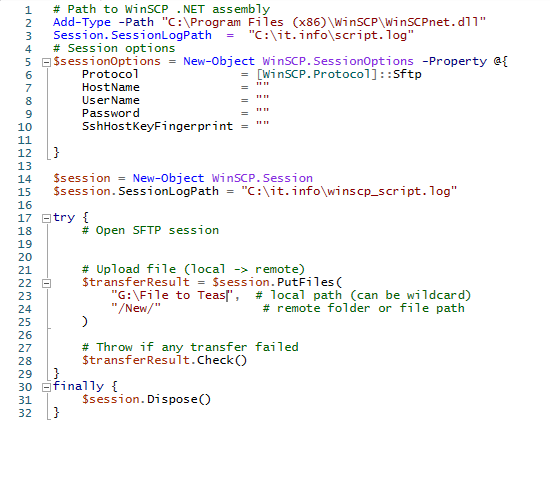
I am using this:
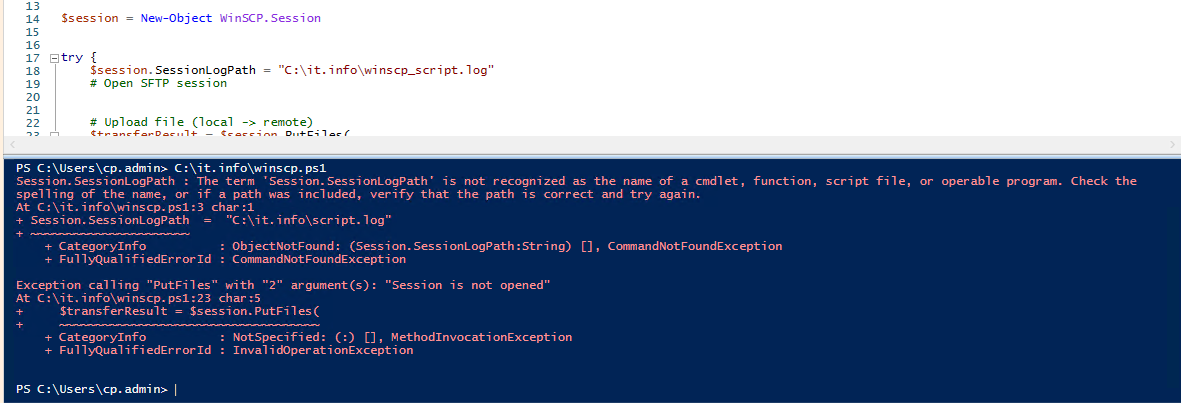
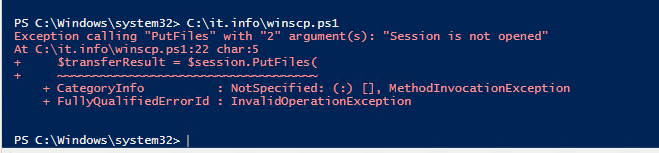
The error I am getting is:
# Path to WinSCP .NET assembly
Add-Type -Path "C:\Program Files (x86)\WinSCP\WinSCPnet.dll"

# Session options
$sessionOptions = New-Object WinSCP.SessionOptions -Property @{
    Protocol = [WinSCP.Protocol]::Sftp
    HostName = "blah.com"
    UserName = "XXXXX"
    Password = "XXXXX"
    SshHostKeyFingerprint = "ecdsa-sha2-nistp256 256 xx:xx:xx etc"
}

$session = New-Object WinSCP.Session

try {
    # Open SFTP session
    $session.Open($sessionOptions)

    # Upload file (local -> remote)
    $transferResult = $session.PutFiles(
        "C:\doz\", # local path (can be wildcard)
        "/New/" # remote folder or file path
    )

    # Throw if any transfer failed
    $transferResult.Check()
}
finally {
    $session.Dispose()
}
What I am trying to figure out is that where is the authentication failing in the process. I know the credentials are good because I can manually use them, so I have to assume it has something to do with theException calling "Open" with "1" argument(s): "Authentication failed.
Authentication log (see session log for details):
Using username "XXXXX".
Access denied.
Authentication failed."
At C:\it.info\winscp.ps1:17 char:5
+ $session.Open($sessionOptions)
+ ~~~~~~~~~~~~~~~~~~~~~~~~~~~~~~
+ CategoryInfo : NotSpecified: (:) [], MethodInvocationException
+ FullyQualifiedErrorId : SessionRemoteException
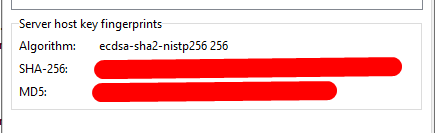
SshHostKeyFingerprint, so I think I need to know which key should I be using in the screen shot.
- Screenshot_8.png (3.69 KB)