Authentication Failed

Advertisement

Guest

Authentication Failed

I am using this:
# Path to WinSCP .NET assembly
Add-Type -Path "C:\Program Files (x86)\WinSCP\WinSCPnet.dll"
 
# Session options
$sessionOptions = New-Object WinSCP.SessionOptions -Property @{
    Protocol = [WinSCP.Protocol]::Sftp
    HostName = "blah.com"
    UserName = "XXXXX"
    Password = "XXXXX"
    SshHostKeyFingerprint = "ecdsa-sha2-nistp256 256 xx:xx:xx etc"
}
 
$session = New-Object WinSCP.Session
 
try {
    # Open SFTP session
    $session.Open($sessionOptions)
 
    # Upload file (local -> remote)
    $transferResult = $session.PutFiles(
        "C:\doz\", # local path (can be wildcard)
        "/New/" # remote folder or file path
    )
 
    # Throw if any transfer failed
    $transferResult.Check()
}
finally {
    $session.Dispose()
}
The error I am getting is:
Exception calling "Open" with "1" argument(s): "Authentication failed.
Authentication log (see session log for details):
Using username "XXXXX".
Access denied.
Authentication failed."
At C:\it.info\winscp.ps1:17 char:5
+ $session.Open($sessionOptions)
+ ~~~~~~~~~~~~~~~~~~~~~~~~~~~~~~
+ CategoryInfo : NotSpecified: (:) [], MethodInvocationException
+ FullyQualifiedErrorId : SessionRemoteException
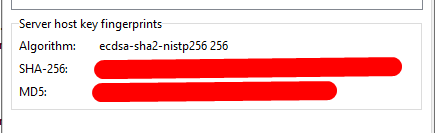
What I am trying to figure out is that where is the authentication failing in the process. I know the credentials are good because I can manually use them, so I have to assume it has something to do with the SshHostKeyFingerprint, so I think I need to know which key should I be using in the screen shot.

Screenshot_8.png

Reply with quote

Advertisement

martin
Site Admin
martin avatar
Joined:
Posts:
42,940
Location:
Prague, Czechia

Re: Authentication Failed

It's definitely not the SshHostKeyFingerprint.
Please post session log files both from the code and from successful "manual" login with the same credentials.

Reply with quote

crughp
Joined:
Posts:
10

Re: Authentication Failed

The logs are easy to get from the manual login, but I am not sure where they populate from the scripted task. Can you shed some light on that for me please?

Reply with quote

crughp
Joined:
Posts:
10

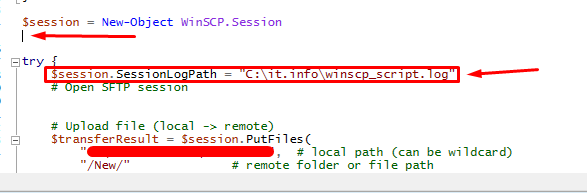
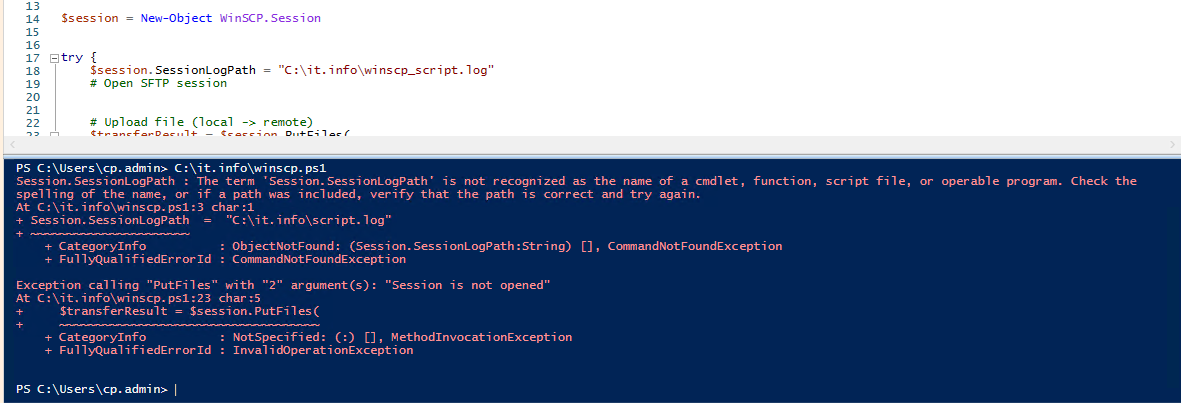
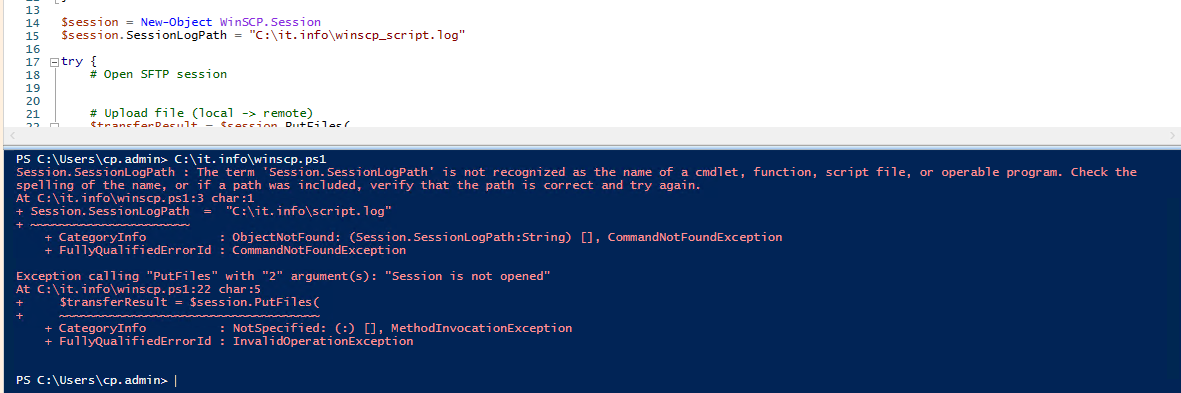
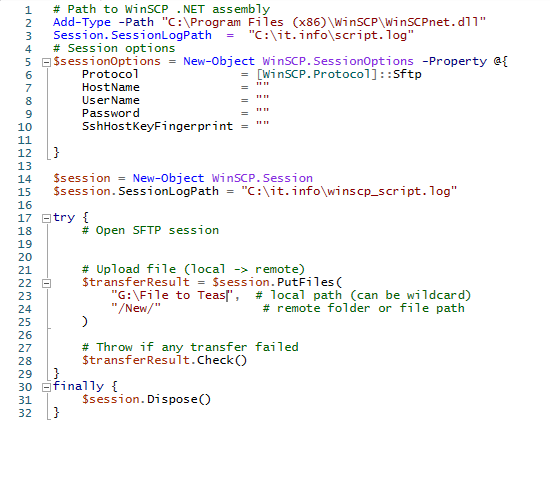
I seem to be getting an error on the script. I am not sure of the syntax and where to add that into the script. I tried a couple of different places and got this error.
Session.SessionLogPath : The term 'Session.SessionLogPath' is not recognized as the name of a cmdlet, function, script file, or operable
program. Check the spelling of the name, or if a path was included, verify that the path is correct and try again.
At C:\it.info\winscp.ps1:3 char:1
+ Session.SessionLogPath = "C:\it.info\script.log"
+ ~~~~~~~~~~~~~~~~~~~~~~
+ CategoryInfo : ObjectNotFound: (Session.SessionLogPath:String) [], CommandNotFoundException
+ FullyQualifiedErrorId : CommandNotFoundException

Exception calling "Open" with "1" argument(s): "Authentication failed.
Authentication log (see session log for details):
Using username "montgomerycnty_sftp".
Access denied.
Authentication failed."
At C:\it.info\winscp.ps1:18 char:5
+ $session.Open($sessionOptions)
+ ~~~~~~~~~~~~~~~~~~~~~~~~~~~~~~
+ CategoryInfo : NotSpecified: (:) [], MethodInvocationException
+ FullyQualifiedErrorId : SessionRemoteException

Reply with quote

Advertisement

crughp
Joined:
Posts:
10

PS C:\Windows\system32> C:\it.info\winscp.ps1
Session.SessionLogPath : The term 'Session.SessionLogPath' is not recognized as the name of a cmdlet, function, script file, or operable
program. Check the spelling of the name, or if a path was included, verify that the path is correct and try again.
At C:\it.info\winscp.ps1:3 char:1
+ Session.SessionLogPath = "C:\it.info\script.log"
+ ~~~~~~~~~~~~~~~~~~~~~~
+ CategoryInfo : ObjectNotFound: (Session.SessionLogPath:String) [], CommandNotFoundException
+ FullyQualifiedErrorId : CommandNotFoundException

Exception calling "Open" with "1" argument(s): "Network error: Connection to "bitbus.ttuhsc.edu" timed out."
At C:\it.info\winscp.ps1:19 char:5
+ $session.Open($sessionOptions)
+ ~~~~~~~~~~~~~~~~~~~~~~~~~~~~~~
+ CategoryInfo : NotSpecified: (:) [], MethodInvocationException
+ FullyQualifiedErrorId : SessionRemoteException

Reply with quote

martin
Site Admin
martin avatar

The wording of the error message implies you still tried the Session.SessionLogPath, not the $session.SessionLogPath (despite your screenshot showing otherwise). Please make sure to use the $session.SessionLogPath. The Session is the class name, while the $session is the variable name in your code.

Reply with quote

Advertisement

Advertisement

Advertisement

martin
Site Admin
martin avatar
Joined:
Posts:
42,940
Location:
Prague, Czechia

Re: Authentication Failed

So it seems that the authentication code matches your manual login. Then it's most likely an incorrect password. Note that in PowerShell, certain characters in string literals have special meaning and need to be escaped. Notably the $ sign.
WinSCP GUI can generate a working code template for you, with all necessary escaping:
https://winscp.net/eng/docs/ui_generateurl#code

Reply with quote

Advertisement

You can post new topics in this forum