UAC prompt + update screen appears only when launching via ftp:// protocol handler, not on normal la
Hi,
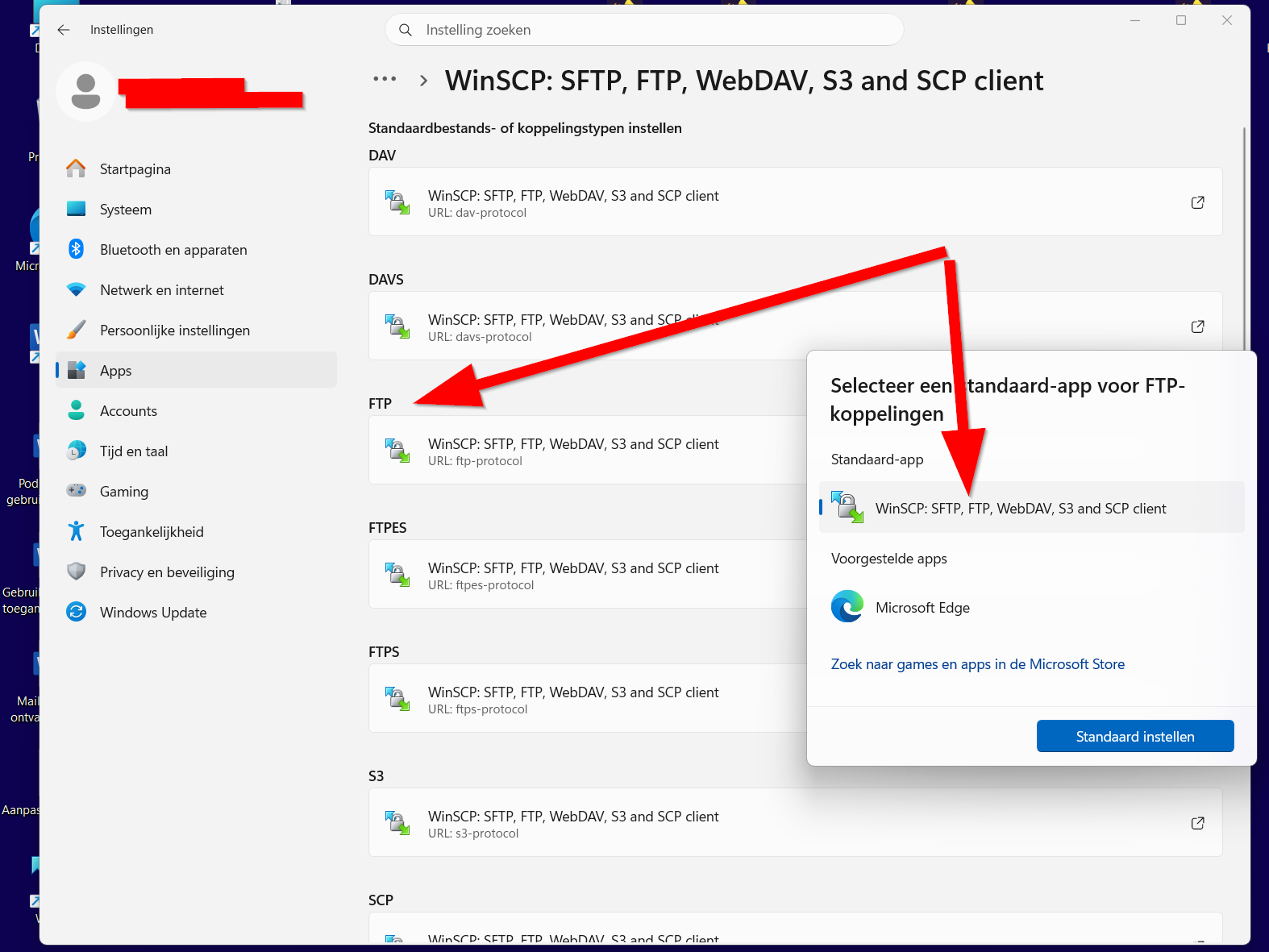
I'm running WinSCP on Windows 11, installed as the default handler for ftp:// links (set via Windows Settings > Apps > Default apps > "Choose defaults by link type", not via WinSCP's own "Register to handle URL addresses" option).
The issue: when I launch WinSCP normally (double-clicking the shortcut/icon), it opens straight to the main window with no prompts at all - no UAC, no update notification.
However, when I click an ftp://user:password@host:port/path link from within a web browser (so WinSCP is launched via the registered protocol handler instead), two things happen every single time:
1. Windows shows a UAC prompt ("Do you want to allow this app to make changes to your device?").
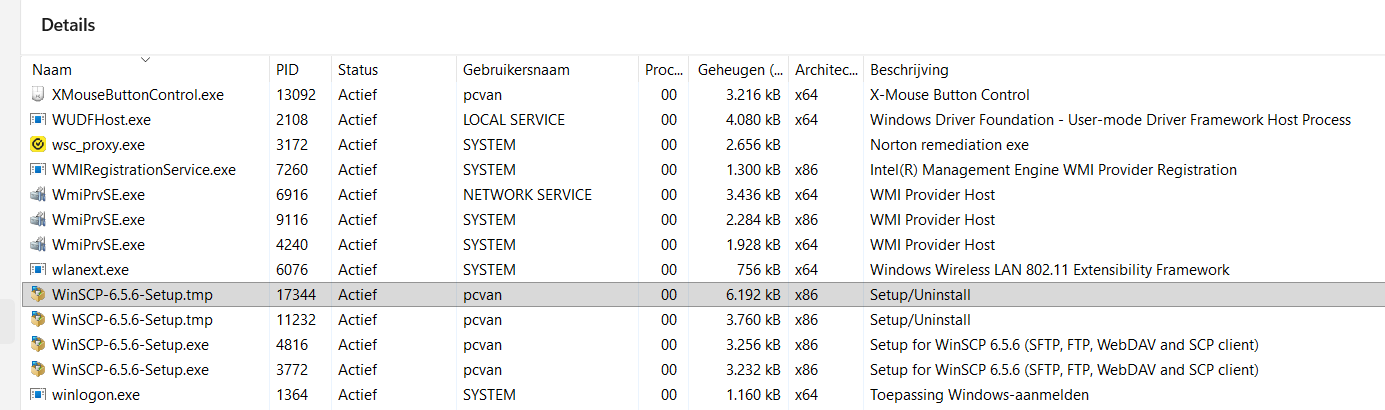
2. After clicking Yes, instead of opening the session from the URL, WinSCP goes straight to what looks like its update/maintenance screen, rather than connecting to the site.
I've already tried:
- Setting "Automatic check period" to "Never" in Preferences > Updates.
- Unchecking "Display information about update on startup" in the same section.
Neither setting stops this from happening specifically when launched via the protocol handler - normal launches are unaffected either way.
My questions:
1. Does the protocol handler registration point to a different executable/entry point than the regular shortcut (e.g. something that triggers an elevation/update check), and if so, can that be changed?
2. Is there a way to make ftp:// links open a session directly, the same way a normal launch does, without the UAC prompt or update screen getting in the way?
Any help figuring out what's different about the protocol-handler launch path versus a normal launch would be much appreciated. Thanks in advance!
Regards,
Wouter
I'm running WinSCP on Windows 11, installed as the default handler for ftp:// links (set via Windows Settings > Apps > Default apps > "Choose defaults by link type", not via WinSCP's own "Register to handle URL addresses" option).
The issue: when I launch WinSCP normally (double-clicking the shortcut/icon), it opens straight to the main window with no prompts at all - no UAC, no update notification.
However, when I click an ftp://user:password@host:port/path link from within a web browser (so WinSCP is launched via the registered protocol handler instead), two things happen every single time:
1. Windows shows a UAC prompt ("Do you want to allow this app to make changes to your device?").
2. After clicking Yes, instead of opening the session from the URL, WinSCP goes straight to what looks like its update/maintenance screen, rather than connecting to the site.
I've already tried:
- Setting "Automatic check period" to "Never" in Preferences > Updates.
- Unchecking "Display information about update on startup" in the same section.
Neither setting stops this from happening specifically when launched via the protocol handler - normal launches are unaffected either way.
My questions:
1. Does the protocol handler registration point to a different executable/entry point than the regular shortcut (e.g. something that triggers an elevation/update check), and if so, can that be changed?
2. Is there a way to make ftp:// links open a session directly, the same way a normal launch does, without the UAC prompt or update screen getting in the way?
Any help figuring out what's different about the protocol-handler launch path versus a normal launch would be much appreciated. Thanks in advance!
Regards,
Wouter