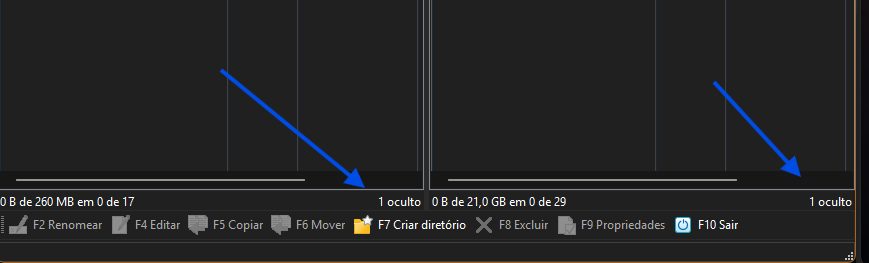
Suggestion to make toggling hidden files easier
Currently, to show hidden files in WinSCP I can:
Click the option at the bottom where it says “Show hidden files”, or
Use the shortcut
My question is: is there a more convenient way to hide the files again after showing them, without having to go back to the options or repeat the process manually (
My suggestion would be to add, in the same place where it currently shows “Show hidden files”, a toggle that could also be used to hide them again. This would make the process much quicker and more intuitive.
Does such a feature already exist and I missed it, or could it be considered for a future version?
Best, Maison
Click the option at the bottom where it says “Show hidden files”, or
Use the shortcut
Ctrl+Alt+H, which opens the preferences.
My question is: is there a more convenient way to hide the files again after showing them, without having to go back to the options or repeat the process manually (
Ctrl+Alt+H)?
My suggestion would be to add, in the same place where it currently shows “Show hidden files”, a toggle that could also be used to hide them again. This would make the process much quicker and more intuitive.
Does such a feature already exist and I missed it, or could it be considered for a future version?
Best, Maison