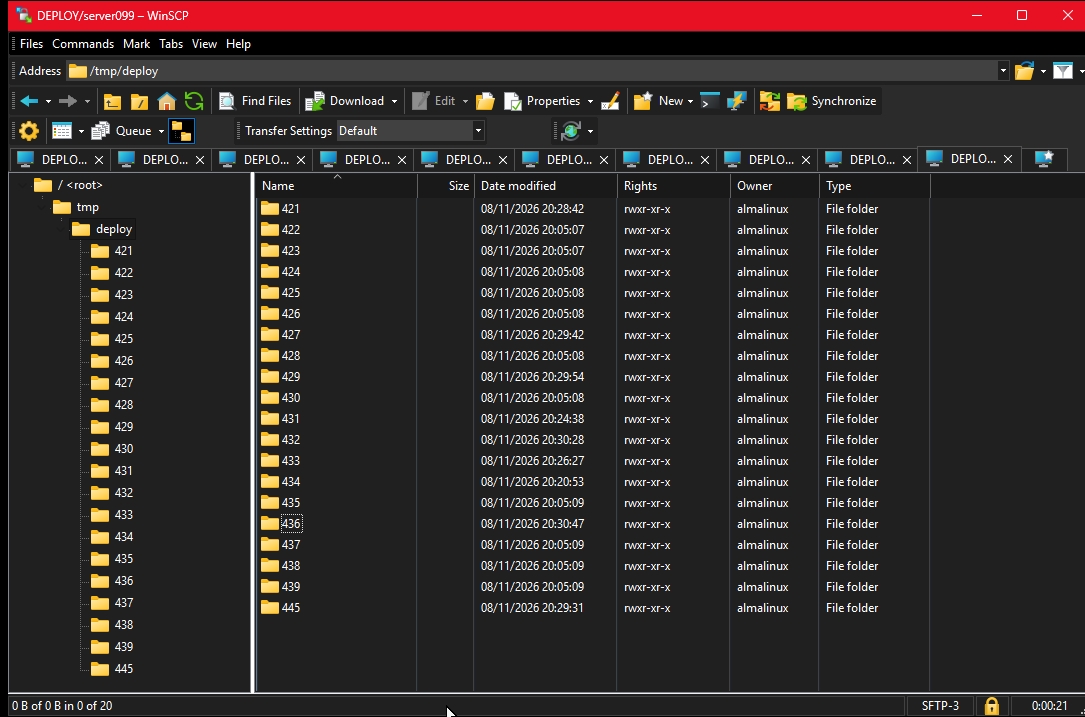
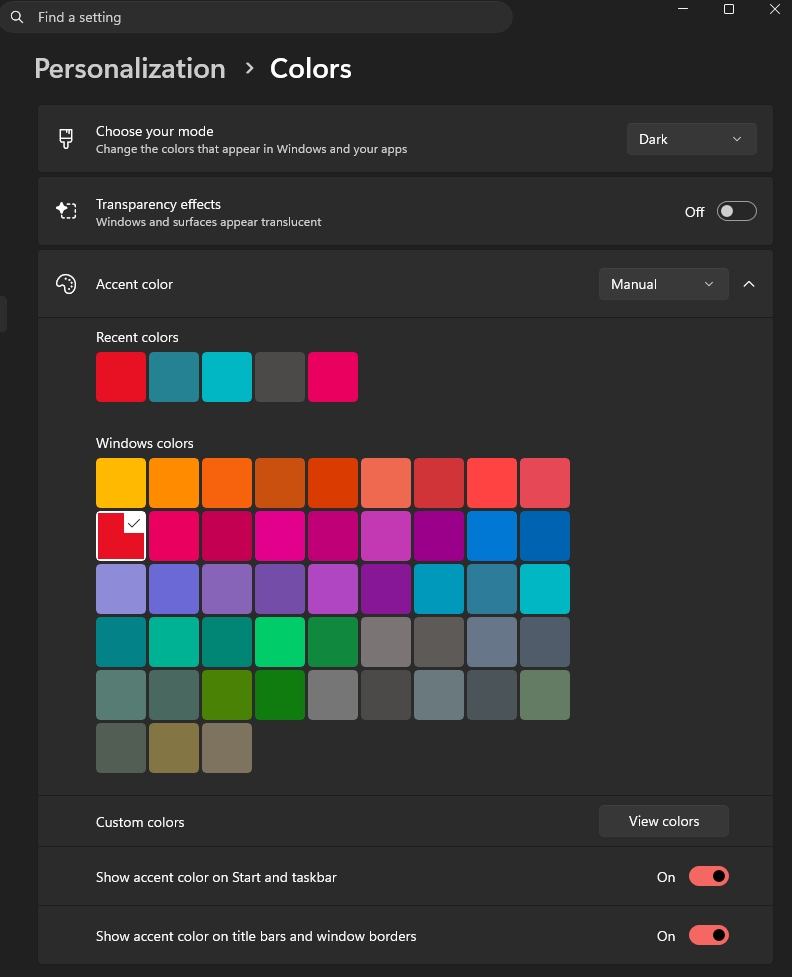
Windows 11, dark mode. Many tabs open. It is indistinguishable which one is the active because everything is black, the tab, the menu, the content and adjacent tabs.
Active tab color should be set in dark mode with some red frame or something.
The update is a welcome improvement. A clear active tab color makes a big difference, especially when several tabs are open in dark mode. It would be helpful to have a simple setting to choose the highlight color as well.
There's no setting. In the latest version the tabs use standard Windows dark theme, which has (slightly) different color or active and non-active tabs (the same way it has slightly different colors in the light mode).
Windows 11 is bad enough WinSCP should find a workaround
So that is the main reason, Windows 11 seeing it's worst days in 2026.
Should put a settings in WinSCP to simply color different the active tab and ignore whatever Windows want to convince you is good enough.
Re: Windows 11 is bad enough WinSCP should find a workaround
It's not like that Windows suggests a color and WinSCP paints it using that color. Windows paints the tab. WinSCP has no control over the painting. WinSCP cannot even change the color (the tab is actually a bitmap image).
Colors from Windows 11 to tabs of WinSCP does not exist
I'm not sure the feature you say exist in the first place. Windows 11 can enforce title bar color (red in my case) buy there is nowhere a "Tab color". Can you point me to a registry setting maybe? Btw, I have no active tab color in other tabbed programs either.
Just an idea: can you color at least the "Little Computer" icon on the active tab to red instead of blue?
Re: Colors from Windows 11 to tabs of WinSCP does not exist
I do not understand what feature you mean. There's no setting. There's even no color. As I wrote above, the tab is painted using a bitmap, not using a color. There are only limited set of tab bitmaps (dark/light, active/inactive...).
WinSCP tabs bitmap wrong coming from Lazy Windows Devs
"I do not understand what feature you mean. There's no setting" >> you are right, now I found old discussions about this subject. Lazy Windows Devs do not bother to send good bitmaps and of course WinSCP will display black active tab and black all other tabs. What can be done? Nothing.
I will try to find the registry keys in Windows 11 that control this behavior.
To overcome the bitmap issue of active tab vs other tabs in Windows 11 Dark mode, the following could be done:
Make the Active Tab 1.5x taller than all other tabs.