This is an old revision of the document!
Jump List
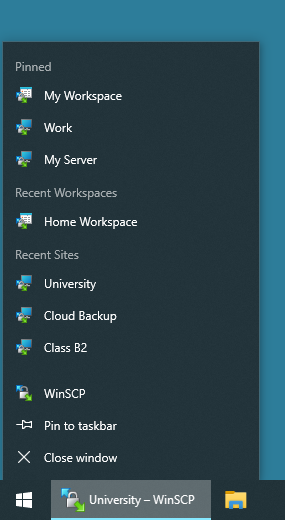
WinSCP supports jump lists1.
From WinSCP jump list you can open recent sites (sessions) and workspaces.
If there’s already idle WinSCP instance running, the session (or workspace) opens in the existing instance. To force session open in new instance of WinSCP, hold down Shift key, when clicking on respective jumplist entry. This feature is available only in the latest beta release.
Advertisement
You can also pin your favourite sites (stored sessions) or workspace for quick access.
- Jump lists are available in Windows 7 and newerBack