The Security Page (Preferences Dialog)
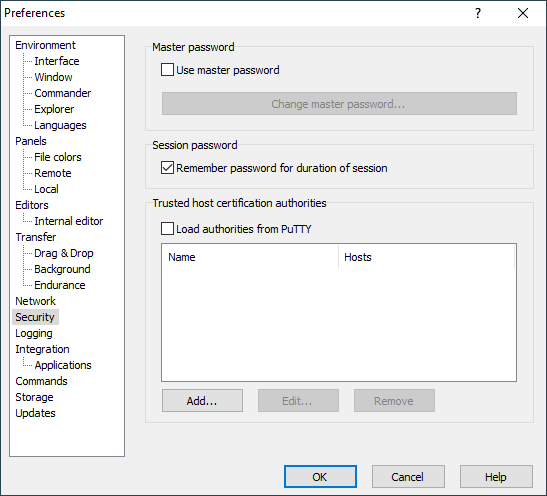
The Security page on the Preferences dialog allows you to configure how passwords are secured and what certificate authorities are trusted.
Advertisement
Refer to documentation of page sections:
Master Password
Check Use master passwords to create master password. Master password setting dialog will appear.
Uncheck Use master passwords to remove master password. You will be prompted for current master password, even if you already entered it in current session.
Use Change master password to change master password. Master password setting dialog will appear.
Authentication
Uncheck the Remember password for duration of the session checkbox to avoid your password (or private key passphrase) being stored in the memory for a duration of the session. You will be prompted for your password/passphrase again, when reconnecting a lost connection and for background transfers.
By default, WinSCP uses PuTTY Pageant as an Authentication agent. You can configure it to use OpenSSH ssh-agent instead. This feature is available only in the latest beta release..
Further Reading
Read more about Preferences dialog and its other pages.
- The text is copy of PuTTY User Manual or was inspired by it.Back
- From its Windows registry key. So this configuration won’t be portable.Back