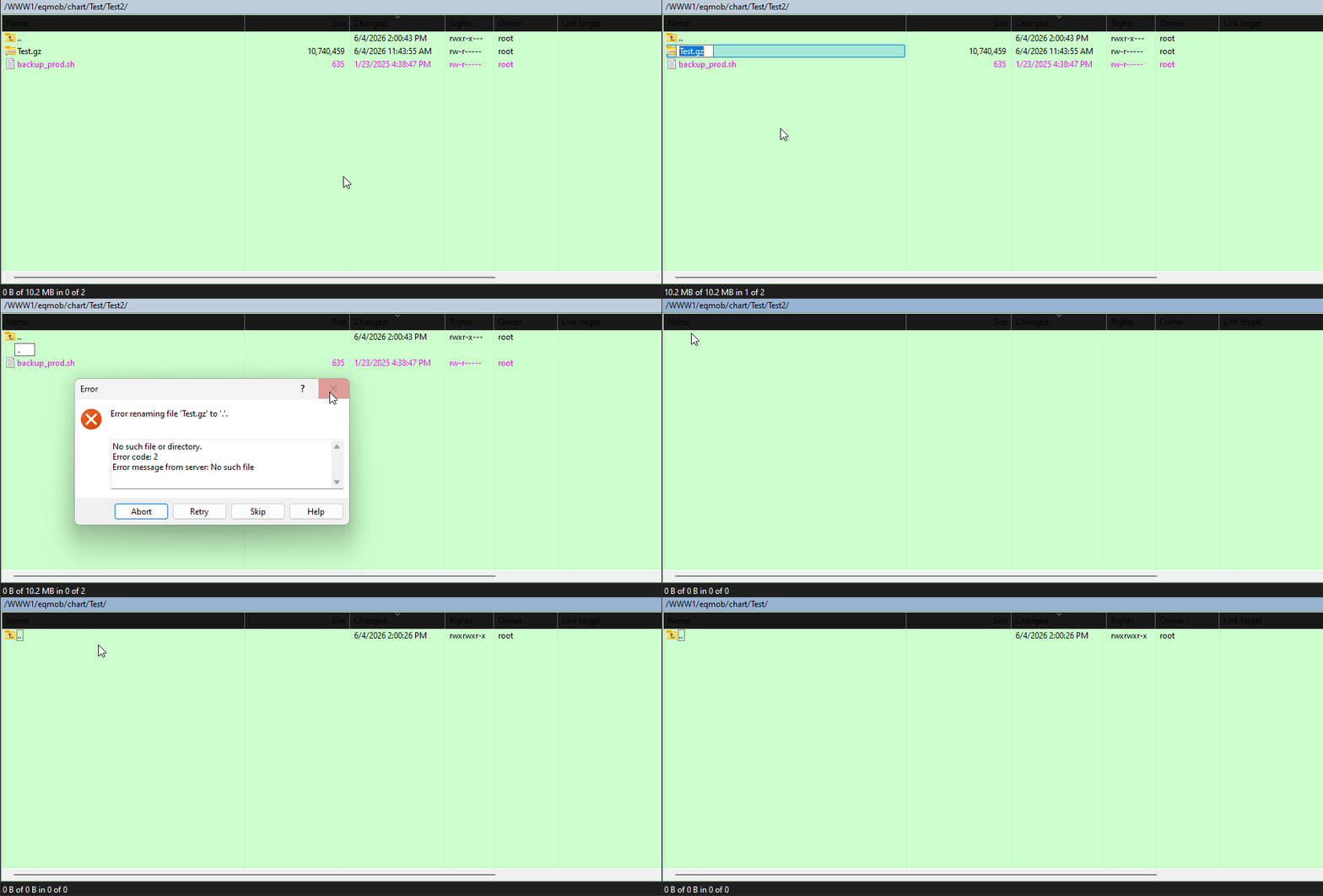
When the file was accidentally renamed to “.”, the current directory was forcibly removed

Advertisement

akari
Joined:
Posts:
7

When the file was accidentally renamed to “.”, the current directory was forcibly removed

As per the subject,

When the file was accidentally renamed to “.”, the current directory was forcibly removed.

Tested on a few servers.

Current WinSCP version: 6.5.6

WinSCP_yP339NsriX.gif

Reply with quote

Advertisement

martin
Site Admin
martin avatar
Joined:
Posts:
42,949
Location:
Prague, Czechia

Re: When the file was accidentally renamed to “.”, the current directory was forcibly removed

That's expected. Just that by default, you would get a warning saying:
Directory '.' already exists. Overwrite?
All files in the target directory will be deleted!
You probably have overwrite confirmations disabled. Re-enable them if you want to be warned:
https://winscp.net/eng/docs/ui_pref_environment

Reply with quote

akari
Joined:
Posts:
7

Re: When the file was accidentally renamed to “.”, the current directory was forcibly removed

Thanks for the clarification.

However, I noticed that several other SFTP clients do not allow renaming a file or directory to "." at all, and instead treat it as an invalid name.

Is there currently any option in WinSCP to disallow renaming files or directories to "." specifically? By right, the action is rename, not overwrite the file. If not, would such a safeguard be considered for a future version?

Thank you!

Reply with quote

martin
Site Admin
martin avatar

Re: When the file was accidentally renamed to “.”, the current directory was forcibly removed

Ok, I'll consider that. Thanks.

Reply with quote

Advertisement

You can post new topics in this forum