Round-trip editing files from a command doesn't work anymore?
Hi,
I'm wondering if there has been a change of behaviour or perhaps a bug introduced with the local storage paths when opening files with a WinSCP custom command?
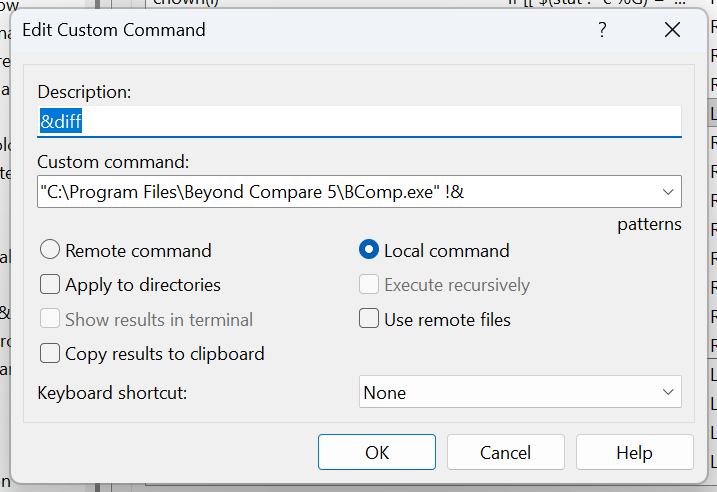
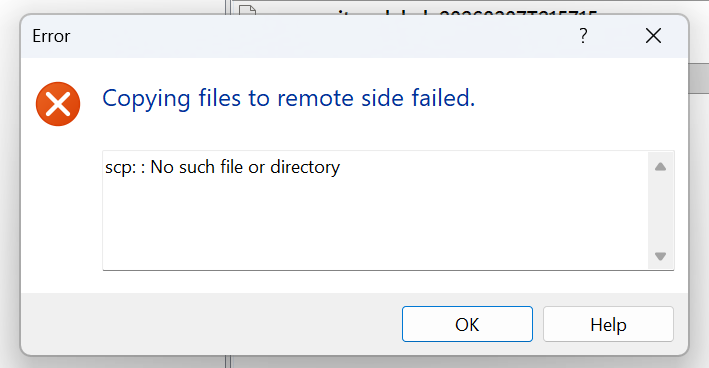
I used to be able to use my command to open files in BeyondCompare, edit and save back to the server, like a "round-trip" edit. But lately, this no longer works and I get an error dialog when I close BComp, "Copying file to remote side failed", "scp:: No such file or directory".
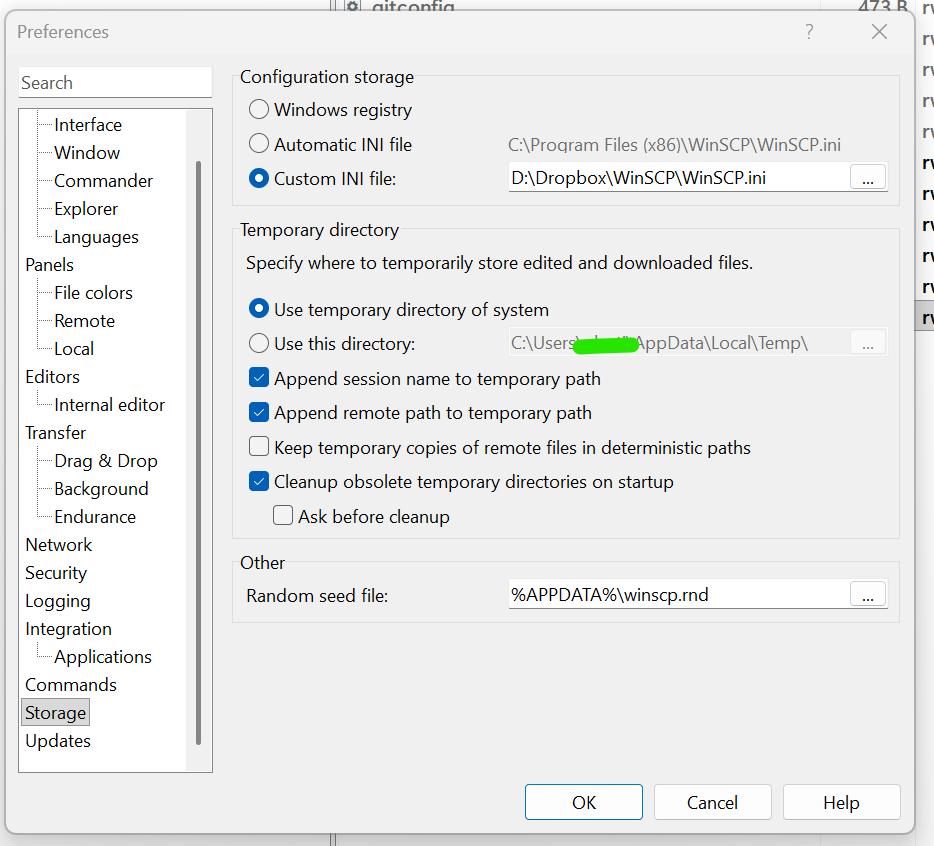
My command and WinSCP settings are un-changed, it worked great for years, but now it's broken for some reason. I attach screens showing my WinSCP Storage settings, the error dialog, and my custom command.
I note that if I open a file from WinSCP using Edit > BComp (setting screen attached), it opens from a local path like:
... which is what I would expect from my Storage settings (appending session name and remote path)
However, when I select a file (or files) and run my 'diff' command, the files open from:
and so, if I edit a file in BComp, save and close, the "Copying Files to remote side failed" error appears.
Like I said, I can open files from WinSCP into any editor, BComp, VSCode, Notepad... and the path is fine and round-trip edit + save works perfectly, it's only when edit from a custom command that has the issue.
I've tried activating "Keep temporary copies of remote files in deterministic paths", but that has no affect. The docs confirm this is expected: https://winscp.net/eng/docs/ui_pref_storage
Any help in restoring this functionality would be appreciated! Thank you!
I'm wondering if there has been a change of behaviour or perhaps a bug introduced with the local storage paths when opening files with a WinSCP custom command?
I used to be able to use my command to open files in BeyondCompare, edit and save back to the server, like a "round-trip" edit. But lately, this no longer works and I get an error dialog when I close BComp, "Copying file to remote side failed", "scp:: No such file or directory".
My command and WinSCP settings are un-changed, it worked great for years, but now it's broken for some reason. I attach screens showing my WinSCP Storage settings, the error dialog, and my custom command.
I note that if I open a file from WinSCP using Edit > BComp (setting screen attached), it opens from a local path like:
C:\Users\user\AppData\Local\Temp\scp22485\Ubuntu-24.04-website.com\root\...
However, when I select a file (or files) and run my 'diff' command, the files open from:
C:\Users\user\AppData\Local\Temp\scp48691\...
Like I said, I can open files from WinSCP into any editor, BComp, VSCode, Notepad... and the path is fine and round-trip edit + save works perfectly, it's only when edit from a custom command that has the issue.
I've tried activating "Keep temporary copies of remote files in deterministic paths", but that has no affect. The docs confirm this is expected: https://winscp.net/eng/docs/ui_pref_storage
Any help in restoring this functionality would be appreciated! Thank you!
- Screenshot 2026-03-08 122413.png (74.01 KB)
- Screenshot 2026-03-08 122228.png (21.45 KB)
- Screenshot 2026-03-08 122749.png (34.44 KB)