FTPS (FTP-TLS) file transfer fail
I am setting up an FTP/FTPS server on an ESP32
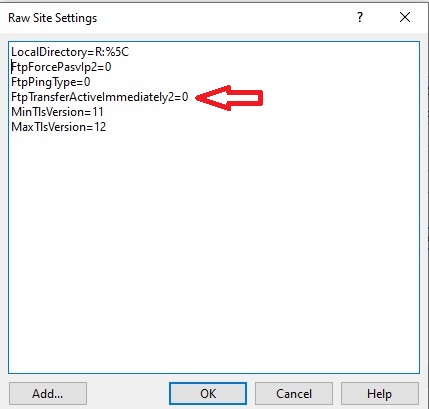
Using WinSCP 6.5.6 on a Windows 10 PC, I connect to my ESP32 device to test my server
In FTP mode, everything works as expected
In FTPS mode, I can access the remote directory (using the
If I use the FileZilla client on the PC, again in FTPS mode, everything works fine
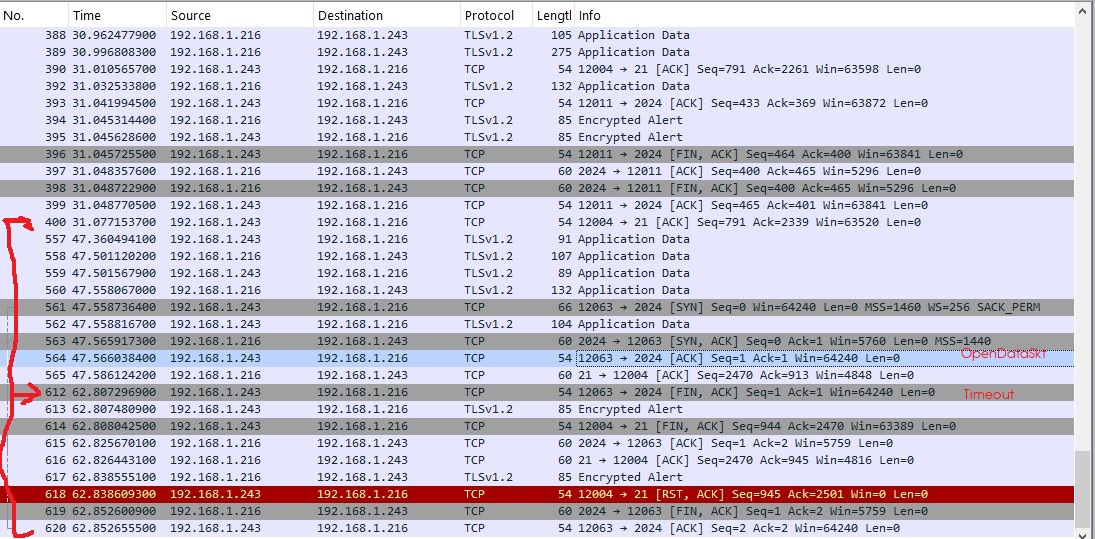
I tried to figure out what the problem was by examining the WinSCP log and I see a connection timeout (in attachment the log fragment for file transfer)
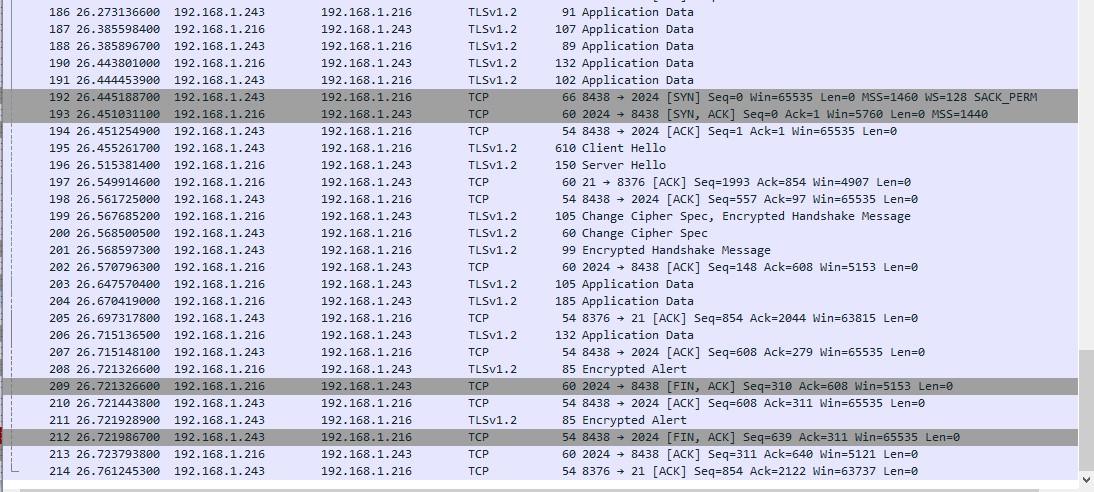
I also tried examining the Wireshark logs for both WinSCP and FileZilla. It seems that the file transfer timeout is caused by the absence of the ClientHello message, which initiates the TLS handshake.
Possible ?
Using WinSCP 6.5.6 on a Windows 10 PC, I connect to my ESP32 device to test my server
In FTP mode, everything works as expected
In FTPS mode, I can access the remote directory (using the
LIST command) but I cannot transfer any files, either from the PC to the ESP32 or vice versa from the ESP32 to the PC
If I use the FileZilla client on the PC, again in FTPS mode, everything works fine
I tried to figure out what the problem was by examining the WinSCP log and I see a connection timeout (in attachment the log fragment for file transfer)
I also tried examining the Wireshark logs for both WinSCP and FileZilla. It seems that the file transfer timeout is caused by the absence of the ClientHello message, which initiates the TLS handshake.
Possible ?
- FileZilla_log.jpg (203.65 KB)
Description: FileZilla log row 192 open data sockt and client send ClientHello
- WinSCP_log.jpg (287.97 KB)
Description: WinSCP log row 563 open data socket for file transfer but after 15sec go in timeout